Everything You Need to Know About the Gallery Solver
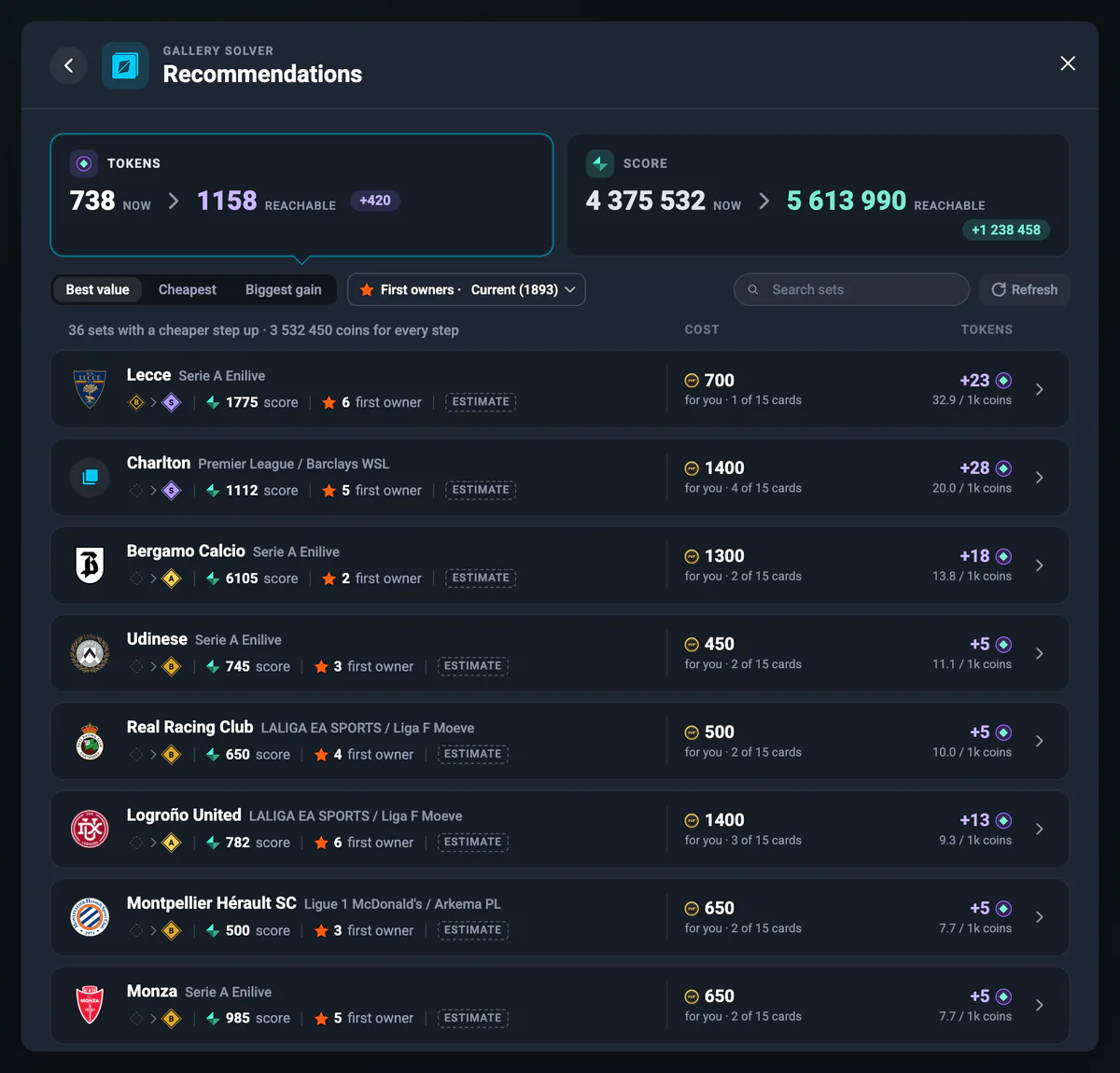
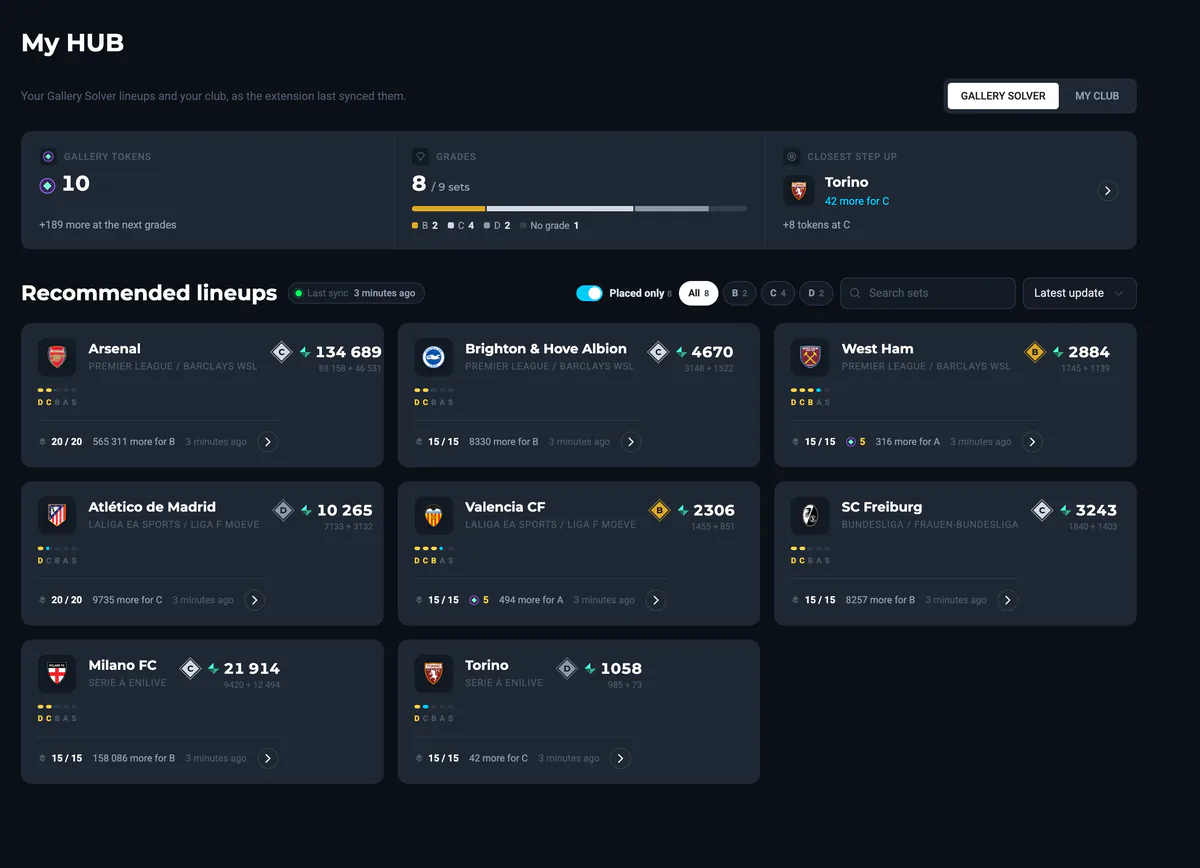
The Gallery Solver is the FUT Gallery equivalent of our SBC Solver: it turns a collection puzzle into a short list of cards and a price. It reads all 127 gallery sets, asks EA which cards you already own, computes the best lineup from your collection, plans the cheapest route to a higher grade and buys the missing cards at market price — optionally listing them straight back, so the whole collection costs you the tax, nothing at all, or less than nothing.
How the FUT Gallery works
The gallery is EA FC's collection mode: 127 sets in 7 categories, built around clubs, whole leagues and card rarities. Every set grades a fixed number of cards — usually 15, 20 for some clubs, 30 for the league sets — and each placed card is worth an item score that rises with its rating and quality.
Every set has five grades: D, C, B, A and S. The lower grades pay a club badge and a kit, the higher ones pay Gallery Tokens. Two rules decide whether you get a grade: the score has to pass the threshold, and the set has to be full — a single empty slot means no grade at all, however high the score.
Points are not only the sum of item scores. The gallery also rewards what the cards have in common: same league, same nation, bronze, silver, Icons, Team of the Week, goalkeepers, five-star weak foot and more, 21 bonus tags in total, each with three tiers. Only the ten biggest bonuses in a set count, and every one of them is a percentage of the matching cards' score. The full table is in the Help Center.
What the Solver does and what you can set
Opening a set makes the Solver ask EA which of its cards you own, in batches, with human pauses — so the collected and missing lists are real, not guessed. From there everything happens on data already loaded, which means planning costs you no market activity at all.
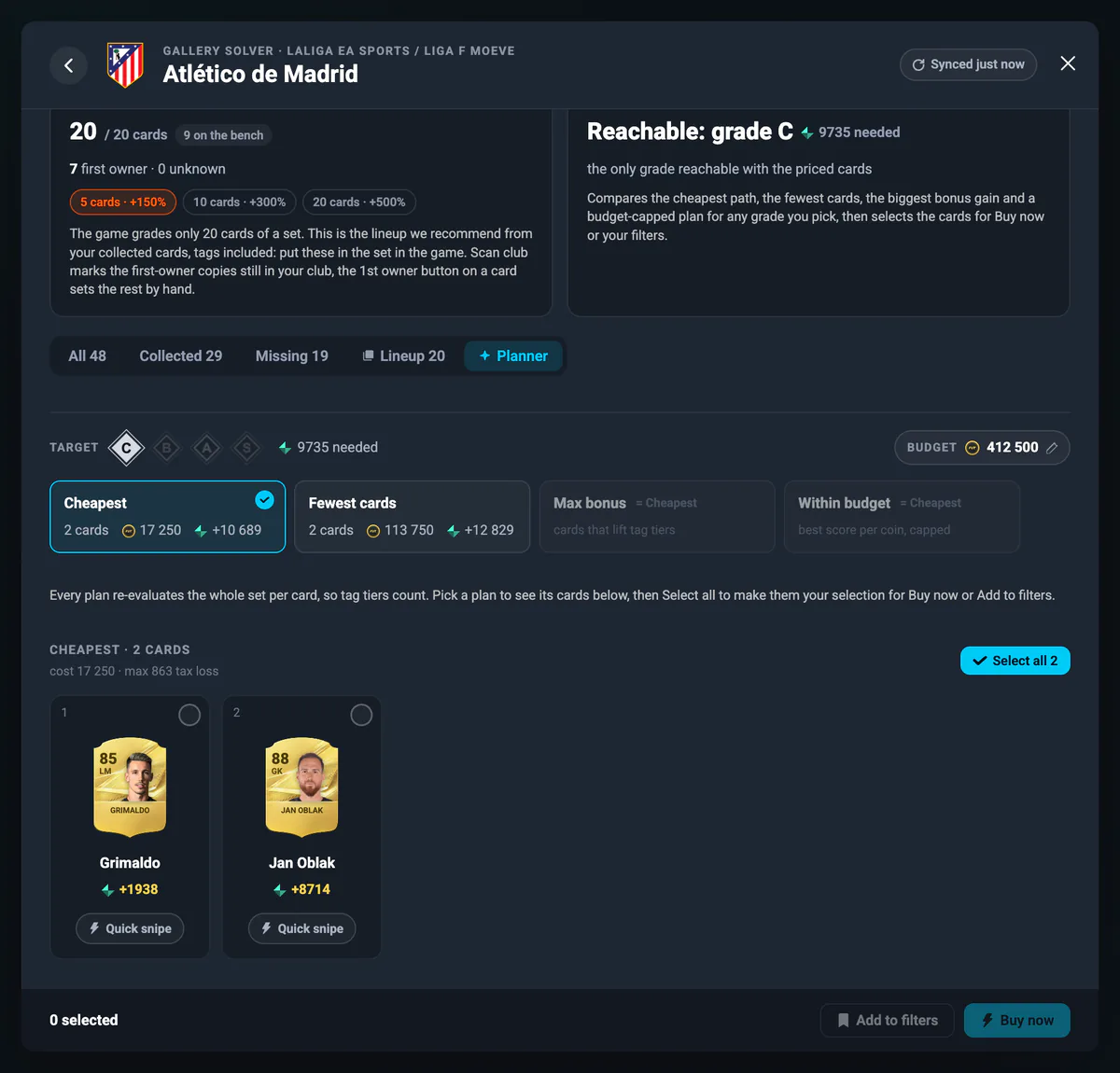
- Target grade: pick any grade that is reachable with the known cards.
- Budget: defaults to your coin balance; cards above it are never planned.
- Strategy: cheapest, fewest cards, maximum bonus gain, or within budget.
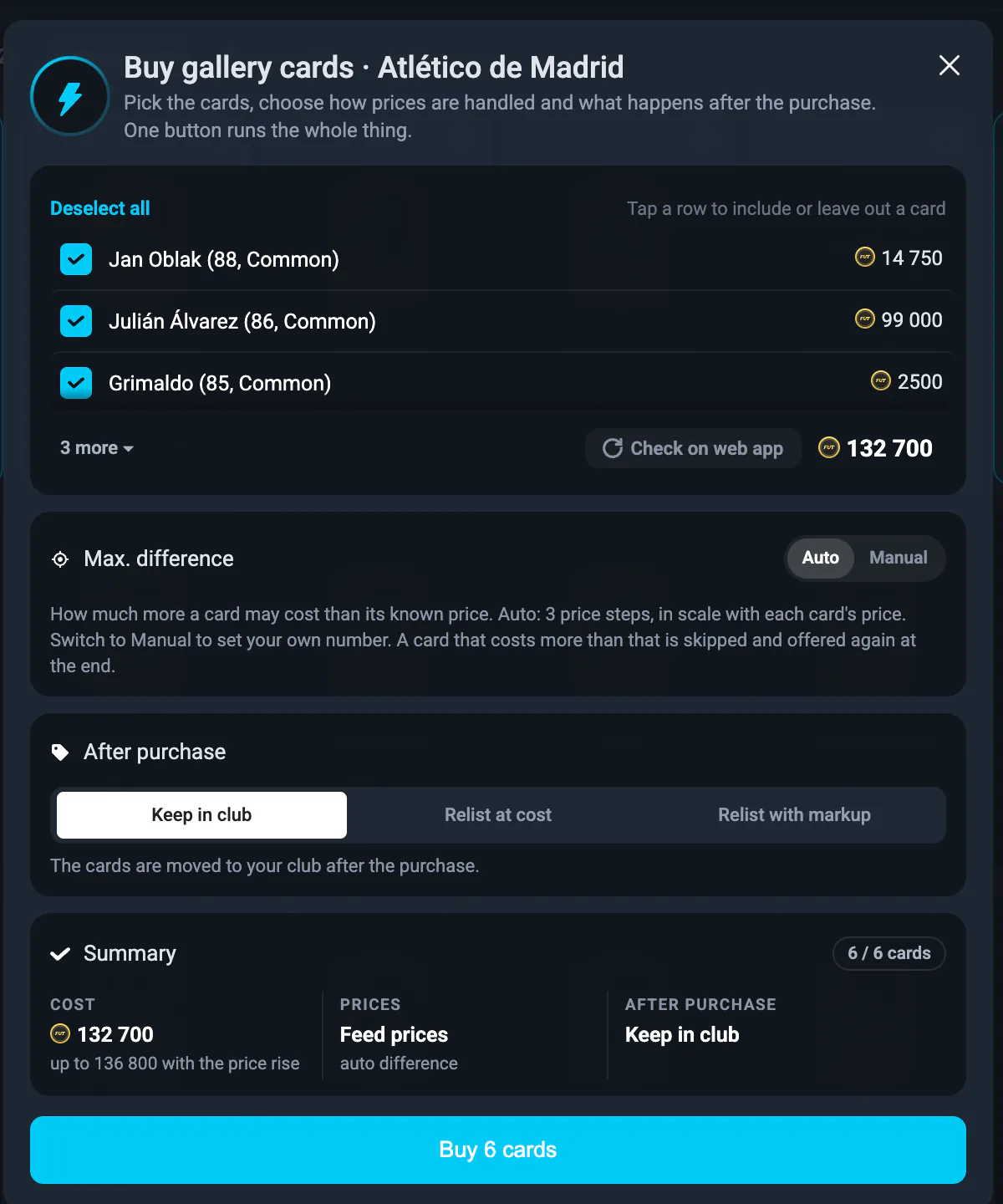
- Max. difference: how far above the known price a card may still be bought, in EA price steps. Auto allows three steps, which scales with each card's own price.
- After purchase: keep in club, relist at the price you paid, or relist with a markup in percent or price steps.
- Check on web app: an optional live price check on every selected card before you commit.
- First owner assumption: model the recommendations with none, your current, five or ten more, or all first-owner cards.
On the Dashboard, gallery purchases can be filtered separately from sniping, so buying at market price for the collection never distorts your trading statistics. Every setting is explained in the Help Center.
Why a set costs almost nothing
This is the part most players miss. The gallery counts a card you have owned, even for a moment, and it keeps counting it after you sell it. So the cards are not spent — they are borrowed.
Buy the six cards a grade needs for 40,000 coins, list them all back at the same price, and once they sell you are down EA's 5% tax: about 2,000 coins for a reward that would otherwise have cost you the full 40,000. Choose the markup option instead and a patient listing can cover the tax entirely. The Solver does this for you card by card, right after each purchase, and shows the expected return after tax before you start.
The trade-off is honest: a relisted card has to find a buyer, and prices move. That is why the tool shows both the cost and the expected return, and why the cheapest plan is usually the one built from cards with a liquid market.
Collecting at no cost, or at a profit
Relisting at cost already turns the price of the cards into EA's 5% tax. That is cheap, but it is not the floor. There are two ways past it, and the Solver automates both.
Ask a little more than you paid. The relist option can add a markup instead of listing at cost, 5% by default, set in percent or in EA price steps. That markup is roughly the tax, so once the cards sell the collection has cost you nothing. The trade-off is patience: you are asking above market, so the listing sells more slowly. On cheap filler cards a few percent is small enough in absolute coins that they still go almost every time, which is exactly why they are the right cards to mark up.
Buy below market in the first place. Add to filters turns the cards you are missing into saved filters, one per card, grouped into a collection with Auto Pricing on. Load that collection on the Manual page or hand it to Auto Trading, and the Sniping Bot hunts each card below market for you. Quick snipe is the single-card version: four minutes at turbo speed on one card, then straight back to the same set. A card bought under market and sold at market leaves you with the collection credit and the margin.
The mix that works. Buy the cheap filler cards outright and relist them a few percent up, where the markup is pennies and the sale is near certain. Send the two or three expensive cards to your filters, where the spread is large enough to be worth waiting for. Done that way a collection session ends in the black: the grades and the Gallery Tokens are the reward, and the cards themselves have paid for the trouble.
The honest caveats: a card listed above market has to find a buyer, a sniped card has to appear on the market at your price, and neither is instant. If you want the grade tonight, relist at cost and pay the 5%. If you can wait a day, the same set is free or better.
First owner: the bonus that changes everything
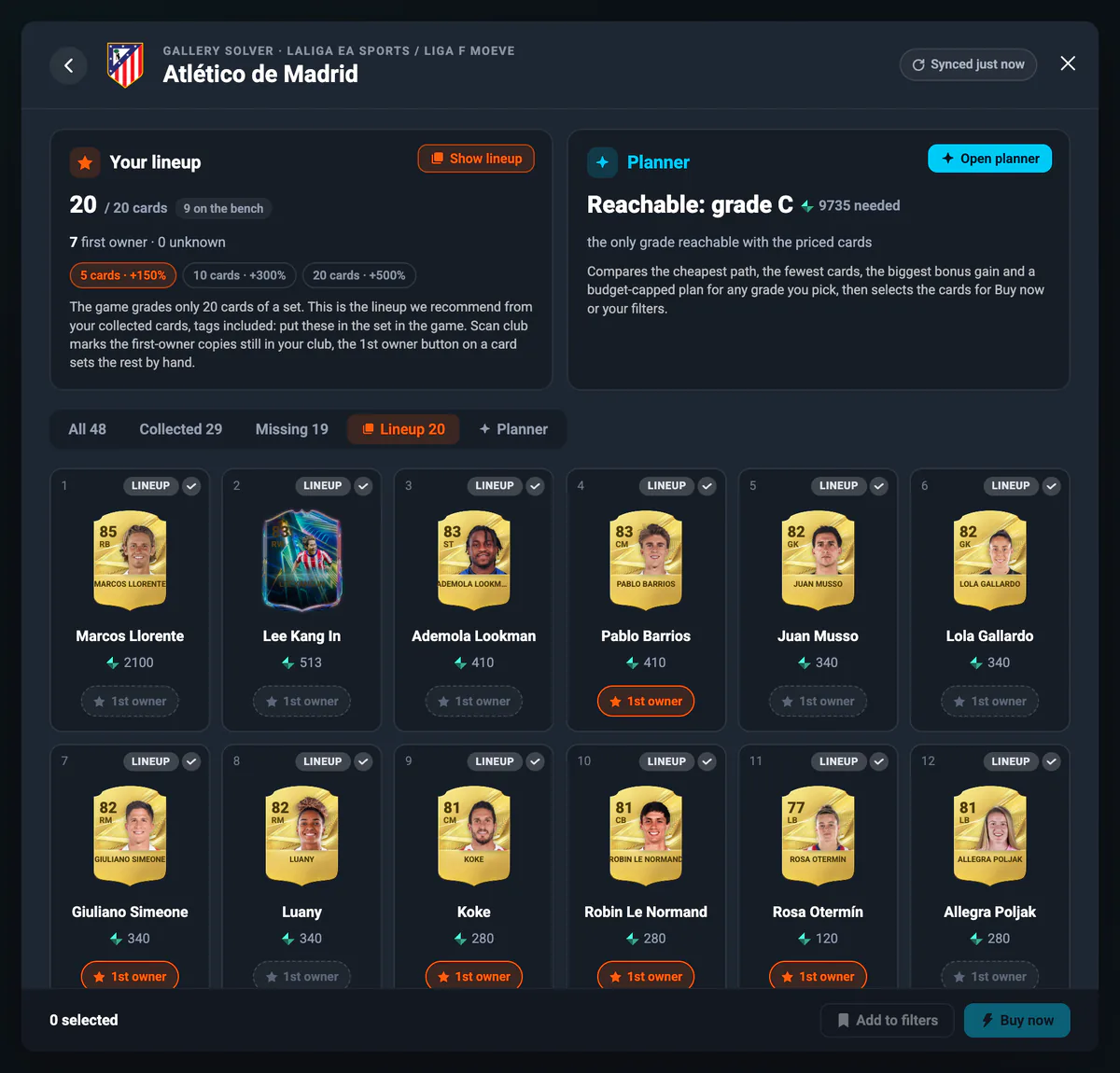
A first-owner card is one nobody owned before you: a pack pull, an objective reward, an SBC reward. In the gallery, five of them in a set add 150% of their score, ten add 300% and twenty add 500%. Nothing else in the mode comes close.
A card bought on the transfer market never counts, which leads to a simple habit: keep what you pull, buy what you need. The Solver tracks this for you — a club scan marks the first-owner copies still in your club, objective and SBC cards count automatically, and cards you have already sold can be marked by hand. The recommendations then let you model what a solution would reach with none, some or all of its cards as first owners.
Advantages and disadvantages
Advantages:
- It answers the question the game does not: which set, which cards, what cost.
- Free rewards, or better: relisting at cost leaves EA's 5% tax, a small markup covers even that, and sniping the cards first turns collecting into profit.
- Real solutions: plans built from lineups other users actually reached, re-costed today.
- Bonus-tag aware: it finds the cheap cards that unlock a tier, which manual planning misses.
- Hands off: one button buys the whole list and lists it back.
- Free trial: the 24-hour Premium trial starts on your first login, no coupon code needed.
Disadvantages:
- Premium feature: after the trial it needs a Premium Trader subscription.
- You place the cards: the Solver tells you which cards to put in the set, but the placing happens in the game.
- Thin sets early in a season: the recommendations get better as more solutions are saved.
- Relisting takes patience: a card has to sell before the tax is your only cost.
Is using the Gallery Solver safe?
The Gallery Solver uses the same market searches and purchases as our Sniping Bot, through your own EA FC Web App session, and it is built to look human: it paces itself between actions rather than firing requests back to back, it never keeps chasing one contested card, and it stops the moment EA answers with a soft ban or a captcha.
What is different about collecting is the shape of it: many purchases of many different cards in a short time. So the same precautions apply as everywhere else — work in small batches, finish one set before starting another, keep the price difference on Auto, and do not stack a collection session on top of a long sniping session. Planning is free of market activity, so do the thinking first and keep the buying short. The security rules are the same ones we describe in the safety section of the Sniping Bot page and in the Help Center.
Several EA accounts
Collections belong to an EA account, so the Solver stores them that way: each EA account keeps its own collected cards, first owners and lineups. Your subscription covers the gallery on two EA accounts, and three with VIP.
A slot is taken the first time an account stores gallery data, and the accounts that hold one stay usable — you can switch between them as often as you like. Only a new account beyond your limit is turned away, so it is worth starting with the accounts you actually want to collect on. Details in the Help Center.
Why choose FUT Simple Trader?
FUT Simple Trader is the tool that automates the gallery end to end rather than just showing you a checklist. The same subscription gives you the Sniping Bot with Live Filters, the SBC Solver, the Trading Tips community and the Reward Zone — and the gallery is where they meet: the cards you snipe are the cards your sets need.
We also put safety first:
- Safe defaults and a built-in Safety Assistant that warns you about risky settings before you start.
- Every action paced and stoppable, with an immediate halt on any EA warning.
- Detailed safety guides in the Help Center.
It runs everywhere you play: Chrome extension, Windows and macOS desktop app, iOS and Android.
Summary
The FUT Gallery is one of the few modes where a trader has a structural advantage: the rewards are real, the cards are not consumed, and the only true cost is EA's tax. The Gallery Solver turns that advantage into a routine — it tells you which set to do next, which cards to buy, what it will cost, which cards to place, and then does the buying, the relisting and, if you would rather earn than spend, the sniping for you.


 Pro Trader
 Premium Trader